
npm vulnerability scanner: how we scan and block vulnerable dependencies at uibun
How uibun uses Install Safe to scan lockfiles for known vulnerabilities and block disallowed npm package versions across local installs, CI, and AI agents.
September 05, 2026 • 8 min read • SecurityJavaScript
uibun is built on the usual JavaScript stack — Next.js, React, Tailwind, Radix UI — and a long tail of smaller packages behind them. Every one is someone else's code running in our development environment, alongside our own application code.
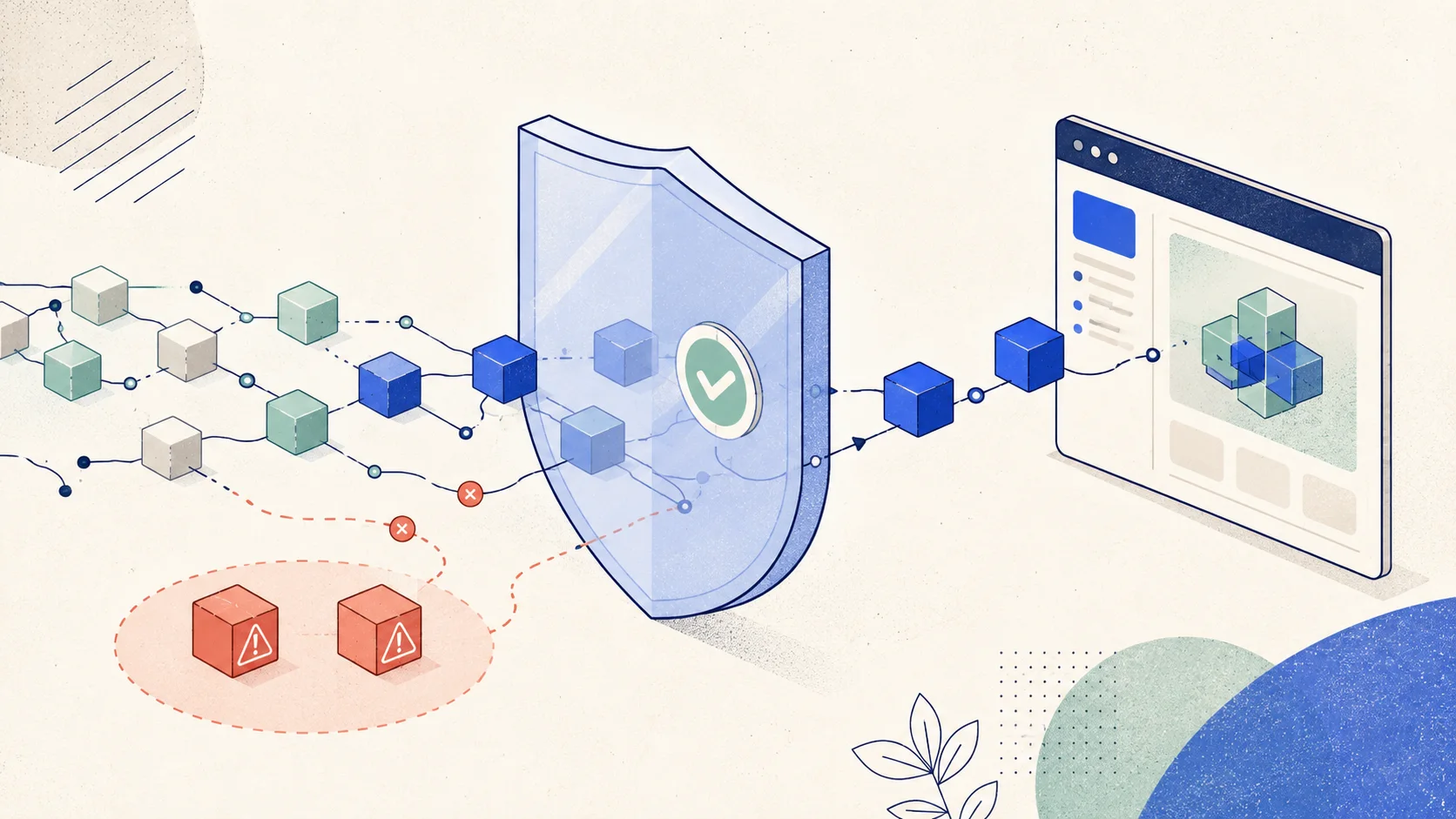
Running an npm vulnerability scanner over that tree tells us what's already there. That's necessary, and it's where we started. But a scan is a snapshot, and dependencies get added at 4pm in the middle of a feature because someone needed a date parser and moved on. So we do two things: we scan our lockfiles for vulnerable dependencies, and we route npm through a proxy that blocks bad versions before they resolve.
Both are Install Safe. This is how we use each one, and what neither of them covers.
Disclosure: I own both uibun and Install Safe. This post describes how we use Install Safe in our own development workflow.
Step one: scan the lockfile you already have
Scan before you change how installs work. You can't judge a preventive control until you know what got in under the old rules.
The Install Safe scanner accepts package.json and lockfiles — package-lock.json, pnpm-lock.yaml, and text-format bun.lock. Use a lockfile rather than the manifest. A package.json lists what you asked for; the lockfile lists what you actually got, with exact resolved versions across the full transitive tree. That distinction matters, because a vulnerable package can arrive through a dependency you never chose directly.
Results come back with advisory details and severity so you can triage rather than guess. There's no account required, and per the documentation the submitted manifest is processed without being stored or logged. If you choose to share a report, those findings are stored separately.
Step two: stop the next one at install time
Scanning is a report on the past. The remaining problem is timing.
An npm vulnerability scanner reports an advisory once an advisory exists. In a live supply-chain compromise — a maintainer account taken over, a malicious version published to an established package — that release is on the registry and installable for some window before anyone files anything. A later scan may identify the version after an install script has already run. Both scanning and advisory-based filtering depend on the threat being reported.
Install Safe's registry proxy applies known advisory information at install time. It sits in front of npm, filters package metadata against OSV advisory data and your policy, and removes disallowed versions before the package manager resolves anything. During fresh resolution, the package manager can select a permitted version if one satisfies your range. An explicitly requested blocked version fails outright. Package archives pass through unmodified. Install Safe explains the filtering process here.
Two policy settings are useful to understand:
Severity thresholds decide what halts an install versus what gets logged.
Release-age quarantine refuses versions published in the last N days. This adds a waiting period based on publish age, rather than requiring an advisory for that release. It can give researchers time to discover a problem, but does not prove older packages are safe. It's also the one most likely to irritate your team, since it blocks legitimate patch releases too.
The practical difference from a scheduled scan is where you find out. A failed install is a decision point while the context is still loaded. A scan finding is a ticket.
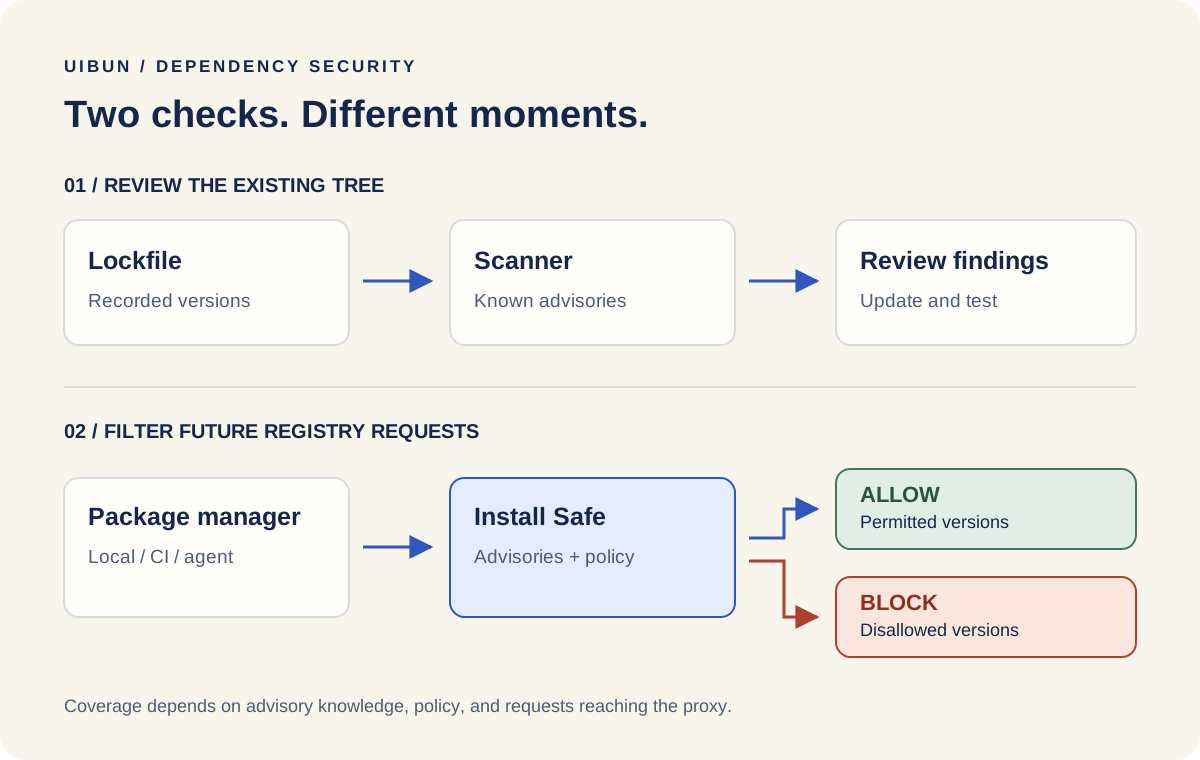
Scanning examines the recorded dependency tree. Registry filtering applies policy to requests that reach the proxy.
Where we run it
We cover three environments where dependencies enter our development workflow.
Local machines. Where most dependencies get added, usually mid-task. The touchpoint that matters most and the easiest to skip.
CI. Build runners install dependencies with their own config and credentials. Verify explicitly that CI routes through the proxy rather than assuming it inherited the setting. A runner using the public registry bypasses this control. Also, npm ci installs the locked dependency tree; it does not automatically choose replacement versions or rewrite the lockfile. Review and update blocked dependencies deliberately. npm ci documentation
AI agents. An agent implementing a feature adds dependencies the same way a person does. The package belongs to the project regardless of who typed the command.
Giving agents a way to check before installing
Install Safe runs an optional MCP server at https://installsafe.io/mcp, with no account or API key required. Its tools check exact package versions, suggest versions with no known advisories, and scan a manifest.
That lets an agent anticipate a block instead of running into one. A useful set of agent instructions is:
- Check any new dependency's version before adding it.
- Explain in the PR description why the package is needed.
- If an install is rejected, surface the advisory. Propose a permitted alternative for review; do not silently bypass the policy or switch registries.
The last rule matters most. Working around a failed install is the obvious next move for both an agent and a tired developer, and it's the one behavior that makes the control pointless.
What the MCP server reports is available advisory knowledge. It doesn't certify a package is clean.
Writing a policy you'll keep
Install Safe's policy layer covers severity thresholds, release-age quarantine, and package allow/block rules. Team plans add shared policies, centralized token management, and Slack alerts, with activity records tying decisions to advisory IDs. Availability depends on plan.
A written policy settles a question once instead of per-install: how new is too new, what severity halts work, who approves an exception. Those are engineering judgment calls, not defaults you can look up.
Try the policy on a representative build before rolling it out everywhere. Check which legitimate upgrades it would delay and decide how urgent fixes will be reviewed. Record an owner and review date for each exception so temporary decisions do not quietly become permanent. These are workflow recommendations, not a claim that exceptions expire automatically.
Setting it up on your own project
Scan first. Upload a lockfile to the scanner and work the findings before changing anything else.
Then configure the registry. Create an account and a registry token, then set both values:
npm config set registry https://r.installsafe.io
npm config set //r.installsafe.io/:_authToken "YOUR_REGISTRY_TOKEN"
Replace YOUR_REGISTRY_TOKEN with the token from your dashboard. The registry URL alone won't work: the proxy requires authentication. Keep the token out of version control and use your CI provider's secret storage for build environments. Other package managers need their equivalent registry and auth configuration.
Then verify per environment. Install something in each place you install things and confirm the request went through the proxy. Check the activity log. Run your normal test suite after any dependency change; nothing here replaces it.
For agents, add the MCP endpoint through your client's config and put the dependency rules in the agent's working instructions.
Cost and install performance
As of September 5, 2026, Install Safe lists a free proxy plan, Pro at $19 per month, and Team at $25 per seat per month with a two-seat minimum. Check the current plans for features and limits.
We are not publishing a latency benchmark here. When evaluating the proxy, compare the same locked build with a cold cache and a warm cache, locally and in CI. Measure total install time and review failed requests as well as successful ones. A timing from a different project is a poor substitute for your own build.
What this doesn't cover
Worth being blunt, because a control that gets oversold gets over-trusted.
Advisory filtering depends on known reports. Install Safe documents pass-through behavior when advisory data is unavailable, with a fail-closed option for teams. Choose deliberately between allowing unchecked requests and stopping them. An unreachable proxy is a different failure: without a reachable registry or usable cache, an install can fail. Do not assume npm automatically falls back to the public registry. Documented availability behavior
It only sees traffic that reaches it. Direct Git dependencies, vendored code, cached artifacts, or a runner configured for a different registry may bypass registry requests. Global npm installs can use the proxy, but ignore a project's .npmrc; configure the appropriate user or global settings too. npm configuration documentation
It doesn't fix your existing tree. Changing a registry setting is not remediation. Scan what you have and work those findings as separate work.
It's one control. Authentication, authorization, secret handling, keeping dependencies current, and actually testing the application are all still yours.
Scanning tells you what's in your dependency tree today. Blocking decides what gets in tomorrow. Neither makes an application secure on its own, and running both is still narrower than it sounds — but it turns a recurring judgment call into something applied consistently, at the moment it's cheapest to make.
If you're shipping an app on npm packages, scan your lockfile for vulnerable dependencies and look at what comes back. That part costs nothing and tells you whether the rest is worth your time.